


Retail businesses have become highly tech-driven, and the humble Point of Sale (POS) has gone through a quiet but significant transformation along with them. A POS is no longer just a billing counter - it's the operational core of every outlet, and it's often the first place a technology gap shows up as a bad customer experience: a long queue during a network drop, a sale lost because stock couldn't be checked in time, or a new outlet that takes weeks to go live because the POS has to be installed and configured locally.
Today's outlets need to be smart enough to deliver a genuinely good customer experience, no matter the outlet's size, location, or connectivity. That raises a practical question for any retail business evaluating its systems: what should a modern POS actually be able to do?
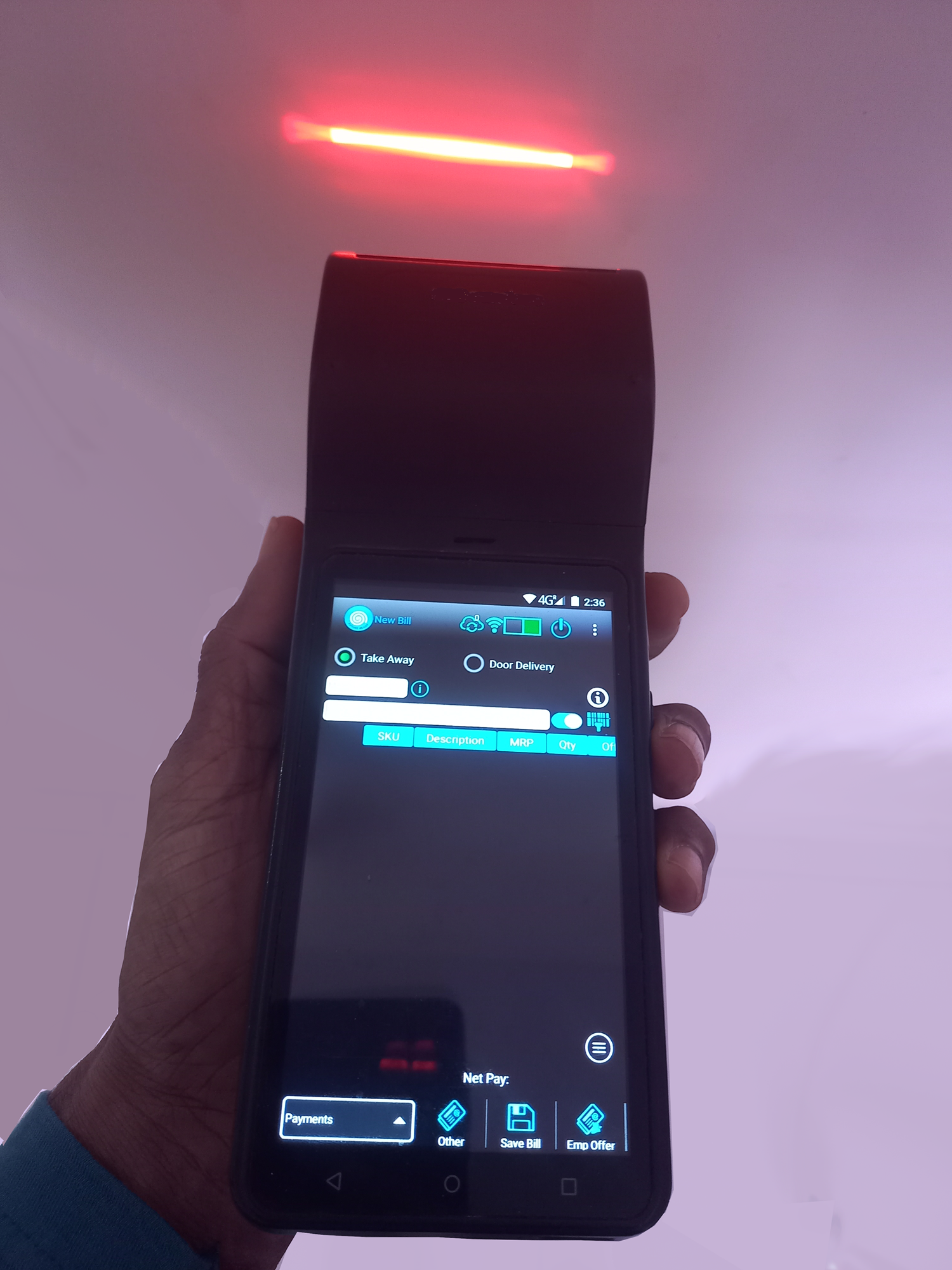
What the ideal modern POS must deliver
Based on how retail operations actually run today - across single stores, multi-outlet chains, and hybrid online-offline formats - a POS built for modern retail needs to meet a few non-negotiable requirements.
Cloud-Enabled, with Remote Control and Monitoring
A modern POS should run on the cloud, not be tied to a single machine or a single outlet's local server. Head office can monitor sales, stock, and outlet performance in real time from anywhere, push price or promotion changes instantly across every location, and roll out a new outlet without a lengthy on-site setup. Remote control also means issues can often be diagnosed and fixed without sending a technician to the store.
Zero Downtime, with Full Offline Support
Retail doesn't pause for a network outage, and neither should billing. A POS needs to guarantee zero downtime at the counter - working seamlessly offline when connectivity drops, and syncing automatically the moment it's restored. For any outlet in a mall, a high-street location, or a region with inconsistent connectivity, offline resilience is what protects the checkout line from ever stopping.
Built to Scale - Thousands of Outlets, Millions of Transactions
A POS that works well for one store can behave very differently at scale. Retail businesses growing from a handful of outlets to hundreds or thousands need an architecture that handles millions of transactions without slowing down, stays consistent whether serving 10 outlets or 10,000, and supports centralized reporting without manual consolidation. Scalability has to be designed in from the start - bolting it on later usually means a rebuild.
Mobile-Ready, Not Just Desktop-Bound
Modern retail happens beyond the counter. A POS that supports mobile devices lets staff bill customers anywhere on the shop floor to cut queues at peak hours, lets field sales and delivery staff take orders and payments on the move, and lets associates check stock or process a return without walking back to a fixed terminal.
Ready to Support Kiosks
Self-service is becoming a standard part of the modern retail experience, not an add-on. Built-in kiosk provision makes it possible to offer self-checkout during busy hours, let customers browse catalogs or check stock independently, and free up staff for customer service - with self-service adoptable whenever the retailer is ready, without a separate integration project.
Built for Omnichannel - Orders from Every Sales Channel
A modern POS can't just handle walk-in billing - it has to be the point where every sales channel converges. It must pull in and process orders from the website, mobile app, phone, and marketplaces, alongside in-store sales, so outlet staff work off one order queue instead of checking five systems. Without this, "omnichannel" stays a marketing term rather than something that happens at outlet level.
Order Management and Door Delivery Capabilities
Taking an order is only half the job. A modern POS needs built-in order management to track an order from placement to fulfilment, and door delivery capability - whether fulfilled from the outlet itself or routed to the nearest warehouse. This turns the POS into the operational hub for the full order lifecycle, not just the payment step.
Support for Mobile Outlets
Not every outlet is a fixed location. Formats like Food & Beverage (F&B) stalls, food trucks, and Fruits & Vegetables (FnV) vendors routinely operate as mobile outlets, and a modern POS has to work just as reliably from a cart or a vehicle as from a fixed storefront - with the same billing, inventory, and reporting capability on the move.
Payment and Peripheral Device Integration
A POS is only as useful as the hardware and payment methods it connects to. Modern retail requires support for cards, UPI, wallets and other digital payment methods, alongside peripherals like barcode scanners, receipt printers, weighing scales, and cash drawers - so retailers aren't boxed into a specific hardware vendor or payment method.
Why these requirements matter together. Individually, each capability solves a specific problem. Together, they define what separates a legacy POS from a modern one. A cloud-enabled, offline-resilient, scalable, mobile-ready, kiosk-capable, omnichannel-connected POS with order management, delivery, mobile-outlet support, and broad payment and device integration isn't just a billing tool - it's infrastructure that can support a retail business as it grows, without requiring a system change at every stage.
This is also why POS increasingly can't be evaluated in isolation. A POS that meets these requirements is far easier to plug into a broader omnichannel setup - connecting outlet, online, and mobile sales into one unified operation - than a POS built as a standalone, on-premise billing system.
Frequently asked questions
Why does a POS need to be cloud-enabled?+
Cloud enablement allows retailers to monitor and control outlets remotely, push updates instantly across locations, and onboard new outlets faster - without depending on local servers or on-site IT setup.
What happens if a POS doesn't support offline mode?+
Without offline support, any network drop stops billing entirely, leading to long queues, lost sales, and a poor customer experience at the counter.
Can a small retail business benefit from a scalable POS, or is that only for large chains?+
Yes. A scalable POS ensures that as a business adds outlets or transaction volume grows, the system keeps performing reliably - so retailers don't face a disruptive system change later as they grow.
Is kiosk support necessary if a retailer isn't using self-checkout yet?+
Having kiosk support built into the POS means self-service can be added later without a separate integration project, giving retailers the flexibility to adopt it whenever it makes sense.
Why does a POS need to pull orders from marketplaces and other sales channels?+
If the POS can't download orders from the website, app, phone, and marketplaces, outlet staff end up juggling separate systems for each channel - which defeats the purpose of going omnichannel. A unified order queue keeps fulfilment simple no matter where the order came from.
Does a POS really need door delivery and order management built in?+
Yes, especially as more sales move online. Managing an order only up to checkout leaves a gap in fulfilment - built-in order management and delivery capability let the outlet, or the nearest fulfilment point, see an order through to the customer's door.
Why do mobile outlets matter for POS design?+
Formats like F&B stalls and FnV vendors don't operate from a fixed location, so a POS built only for a counter setup won't work for them. Mobile-outlet support ensures these formats get the same billing, inventory, and reporting capability as a fixed store.
What payment and device integrations should a modern POS support?+
At minimum, cards, UPI, and digital wallets, along with common peripherals like barcode scanners, receipt printers, weighing scales, and cash drawers - so outlets aren't limited to specific hardware or payment providers.
Final thoughts
The POS has evolved from a simple billing machine into the operational backbone of the modern retail outlet. Retailers evaluating their systems today should look for a POS that is cloud-enabled, resilient to downtime, scalable, mobile-ready, kiosk-capable, omnichannel-connected, equipped for order management and delivery, ready for mobile outlets, and broadly integrated with payments and peripherals - the requirements that define what "modern" actually means for point-of-sale technology.
Want to see a modern, cloud-enabled retail POS in action?
Request a live demo or contact us at business@retailclouds.com to see how Retail Clouds can simplify billing, inventory and omnichannel retail operations.